Geometry Arrow is a fast-paced rhythm platformer where precise timing, quick reactions, and sharp control help players overcome dangerous obstacles.
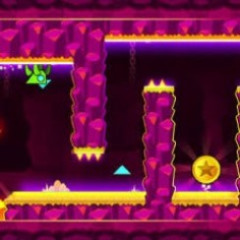
I found Geometry Arrow surprisingly simple to understand but much harder to master. Instead of switching between several character forms, the game focuses entirely on Wave-style movement. I control a small arrow that constantly moves forward in a zigzag pattern, so every click has to be timed carefully.
The basic idea is straightforward:
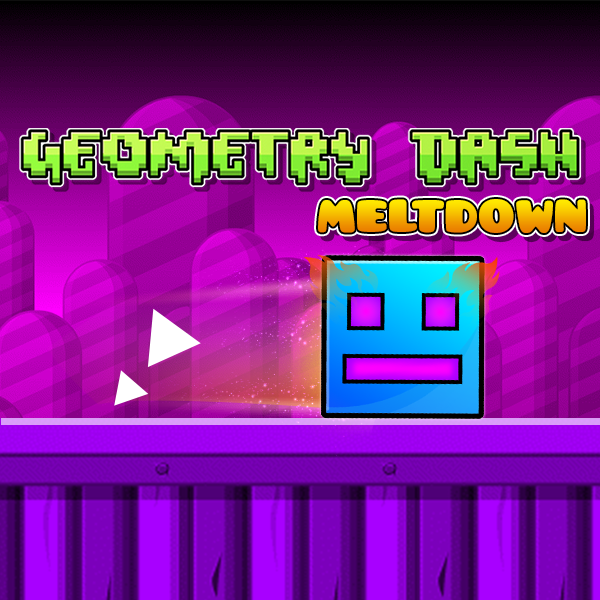
The gameplay reminds me of the quick reactions needed in Geometry Dash Meltdown, but the wave mechanic makes every movement feel more direct. After a few failed attempts, I started memorizing obstacle patterns instead of reacting randomly, which made difficult sections much easier.
Geometry Arrow has six stages, and I like how each one gradually introduces tougher situations rather than making the first attempt overwhelming.

Avoid spikes, walls, platforms, and narrow gaps
For me, the later stages are less about simply reacting and more about remembering when to move. Learning the rhythm of each section makes a huge difference.
The arrow in Geometry Arrow is the only character I need to control, and its movement follows the familiar zigzag pattern of Wave gameplay. Gravity constantly affects its direction, meaning a tiny input can completely change the trajectory.
I mainly use the left mouse button:
The controls are simple, but the later levels require precise timing, quick reactions, and good memory.
Click and hold the left mouse button to move upward, then release to descend and adjust your path.
There are six levels, with the difficulty increasing from easy to demon.
The sixth level is the toughest, combining high speed, tight passages, sudden changes, and unpredictable obstacles.
Yes. Fans of fast-paced reflex games can also try Geometry Dash Lite, Geometry Dash, and Geometry Dash 3D.